






You’ve probably experienced this before — you click on an interesting YouTube video, only to be met with the message: “Members only.” The content looks fascinating, but the monthly subscription fee isn’t exactly cheap. And if you're only interested in watching a few specific videos, it can feel like a waste of money.
I've filtered out the risky and unreliable ones to bring you only the most effective and safe solutions—including proven ways to watch members-only videos for free, plus complete download guides for PC, Mac, and Android devices, so you can access the content you care about without unnecessary detours or risks.
What Are YouTube Members-Only Videos

Simply put, YouTube members-only videos are exclusive content that creators share only with paid subscribers of their channel memberships. Since YouTube introduced the “Channel Membership” feature in 2018, many creators have been offering special videos as a way to thank their supporters.
These may include behind-the-scenes footage, exclusive Q&As, unreleased clips, or early access to new content. These videos are usually marked with a lock icon next to the title, and you’ll need to join the channel’s membership to watch them.
Can You Watch YouTube Members-Only Videos for Free?
Yes, it’s possible. While this type of content is generally reserved for paying members, there are ways to access it without subscribing. However, it’s important to verify the reliability of any method before trying it—some might waste your time or expose you to unnecessary risks.
6 Ways to Watch YouTube Members-Only Videos for Free
There are many tips online claiming to help you watch YouTube members-only videos for free. While some of them actually work, others can be misleading or even pose security risks.
To save you time and effort, I’ve gathered the most commonly mentioned methods and tested them myself. Here’s a summary of the results:
| Method | Is It Possible? | Why | Rating |
|---|---|---|---|
| Free Premium Trial | ❌ | Only grants access to official exclusive content, not channel memberships | ⭐ |
| Change IP with VPN | ❌ | Members-only videos remain locked even with a different region | ⭐ |
| Follow Creator’s Social Media | ✅ | Sometimes they share full videos or previews | ⭐⭐⭐⭐ |
| Join Creator Giveaways | ✅ | Some giveaways offer free channel memberships | ⭐⭐⭐⭐ |
| Search for Public Uploads | ✅ | Reuploaded versions may exist on other platforms | ⭐⭐⭐ |
| GamsGo Shared YouTube Premium Account | ✅ | Full functionality, affordable price, stable performance | ⭐⭐⭐⭐⭐ |
As you can see, many so-called “free” methods are either unreliable or ineffective. For instance, a YouTube Premium trial only gives access to official exclusive content, not members-only videos from specific channels. Changing your IP with a VPN also doesn’t help and may even introduce security risks.
In the next section, I’ll go into more detail about the few methods that actually work. With these, you can watch YouTube members-only videos without paying—safely and effectively.
How to Watch YouTube Members-Only Videos for Free
Follow the Creator’s Social Media Pages
Many creators don’t just post on YouTube—they’re also active on platforms like Instagram, TikTok, X (formerly Twitter), and Facebook. Sometimes, they use these platforms to preview upcoming members-only videos, share highlights, or even release full videos temporarily during special times.
While this content may not include every detail from the original video, it’s a great alternative for those who want a “sneak peek” or just a glimpse of the content without paying. If you’re lucky, you might even be among the first to find out about limited-time public releases or membership giveaway events through these platforms.
In short, following creators across multiple platforms can lead to unexpected rewards.
Look Out for Creator Giveaway Events
In addition to following social media pages, it’s also worth keeping an eye out for membership giveaway events hosted by creators. These are often run as a way to thank their fans and can take the form of raffles, comment-based entries, or live-stream giveaways. Participating in these events can unlock access to members-only content, completely free.
Be Sure to Check These Channels for Access Opportunities:
The Channel’s YouTube Community Tab
This is a key space where creators engage directly with their fans. During milestones like anniversaries, subscriber count celebrations, or content updates, creators often run giveaway events, offer free memberships, or temporarily unlock members-only videos on this page.
Community Platforms like Discord and Patreon
Many creators manage active fan communities on platforms such as Discord or Patreon, often offering special perks. For instance, higher-tier patrons on Patreon may receive YouTube membership access as a bundled benefit. Some Discord communities also offer temporary access to members-only videos through missions or special participation activities.
Membership Gifting During Live Streams
If you join a channel’s live stream, you might notice viewers sending “Membership Gifts” in the chat. This is an official feature that allows one viewer to purchase memberships and gift them randomly to others watching the stream.
As long as you’ve enabled the “Accept Gift Memberships” option, you could be selected to receive a one-month free membership—no strings attached.
Search for Publicly Reuploaded Versions
While this method is unofficial, it can be surprisingly effective, especially when someone has already shared or archived the members-only video. If you don’t want to pay to watch it, it’s worth checking if an alternative version has already been made public online.
Step 1: Try searching on Google or YouTube using relevant keywords, such as:
- Channel Name + Video Title
- Channel Name + “member archive”
- Video Title + “reupload” or “mirror”
Step 2: Explore other platforms where reuploaded versions may exist. These might include Dailymotion, Vimeo, or certain third-party forums and file-sharing sites. This method is particularly effective for tutorial videos or content that previously gained a lot of attention—other users may have saved and reposted it.
If the video you’re looking for isn’t just a members-only video but has also been deleted from YouTube, checking these platforms for a reupload should be your first step. If you still can’t find it, don’t worry—we’ve also compiled other methods to help you watch deleted YouTube videos.
Caution: Always verify the source before clicking on links, and avoid suspicious or potentially harmful websites when searching for this type of content.
Are There Other Ways to Watch YouTube Members-Only Videos for Free?
GamsGo Shared YouTube Premium
In addition to the three methods mentioned earlier, there are a few other ways to access members-only videos from YouTube channels for free. For example, you might temporarily use a friend’s account, or simply wait until the creator eventually makes the video public. Since these methods are quite straightforward, we won’t go into detail here.
What’s worth noting, though, is that YouTube offers another type of members-only content beyond channel memberships—YouTube Premium exclusive content. This includes things like original dramas, documentaries, concert recordings, and other special releases, available only to users who subscribe to the Premium service.
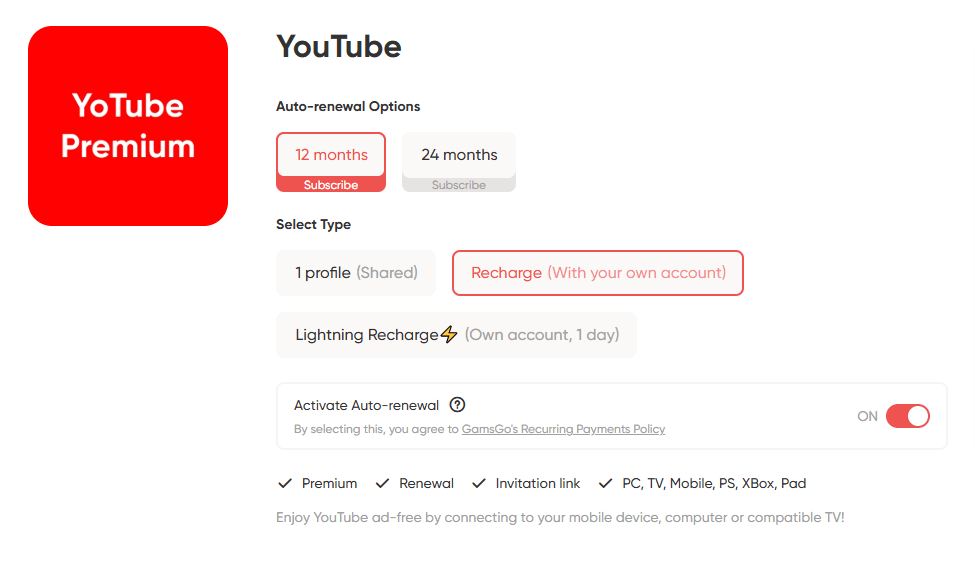
If you’re interested in this kind of content but find the official pricing too expensive, you might consider doing what I did: purchasing a shared YouTube Premium account via GamsGo. From my own experience, the shared account offered by GamsGo worked almost identically to the official Premium version.
I was able to watch all Premium-exclusive videos without any issues, and all features—including ad-free viewing, background playback, and offline downloads—worked flawlessly.
Even better, the price was extremely affordable—roughly one-third of the official subscription cost. If you're curious about how to get it, check out our full guide on how to subscribe to YouTube Premium at a lower price.
How to Download YouTube Members-Only Videos for Free
Sometimes, simply watching a video for free isn’t enough. Certain exclusive lectures, behind-the-scenes clips, or members-only Q&A sessions are the kind of content you might want to revisit multiple times. In such cases, the ability to save the video becomes essential.
Standard YouTube downloaders often fail when trying to save members-only videos. This is because these videos are protected behind a login wall. To download them, the tool needs to "see" that you are a logged-in member.
If you have temporary access (via a free trial or a gift), here is how to save these videos forever on both PC and Android devices.
For PC/Mac Users (Best Quality)
For desktop users, the most reliable method involves using software that supports YouTube login or Cookie extraction.
Option A: 4K Video Downloader Plus (Easiest)
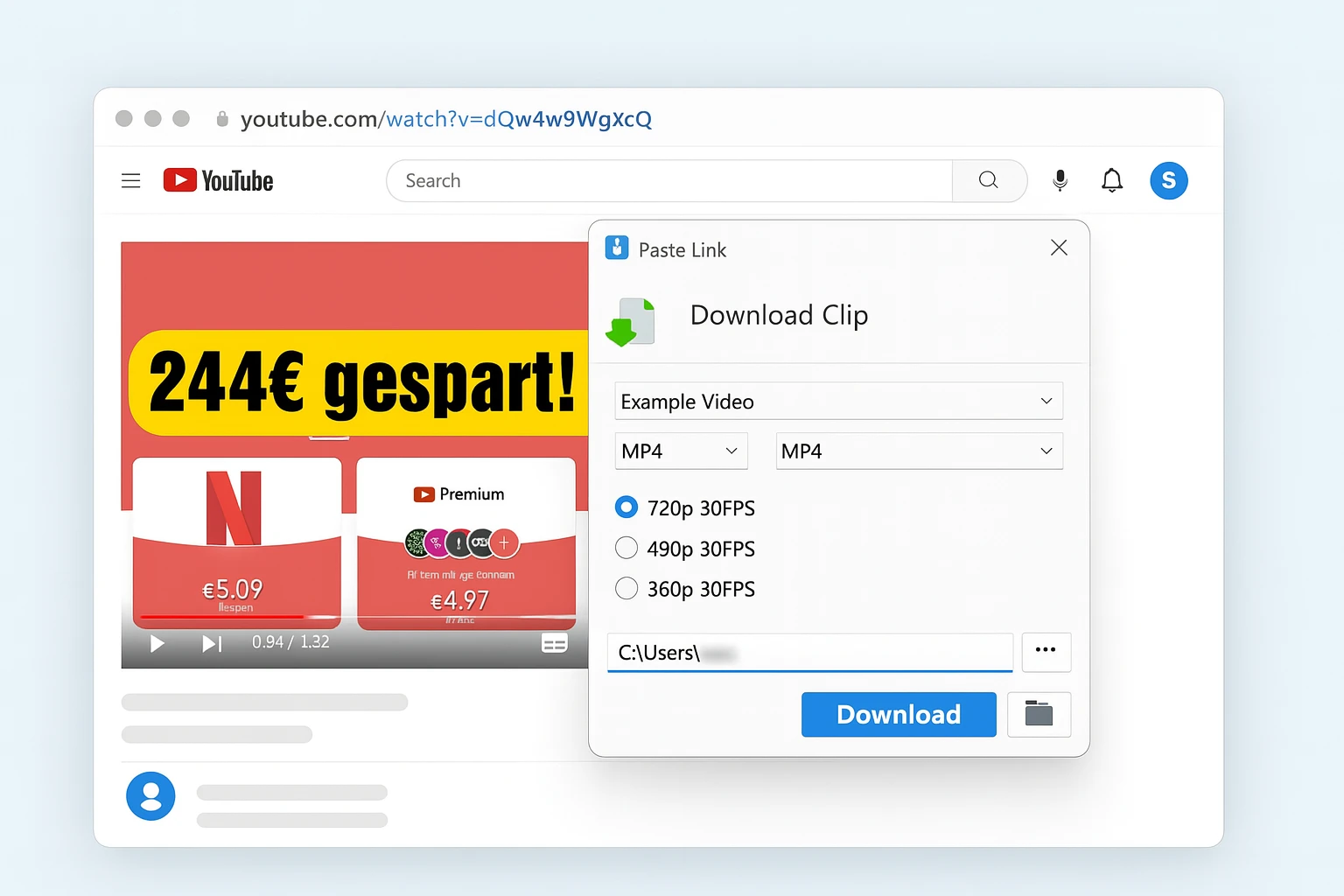
I personally tested several third-party download tools, and one of the most straightforward options was 4K Video Downloader Plus. Here’s how it works:
- Copy the full video link from YouTube for the video you want to save.
- Go to Preferences > Log In and enter your YouTube account details.
- Open 4K Video Downloader and click the green “Paste Link” button.
- Choose your desired format and quality—MP4, MKV, 720p, 1080p, even 4K are all available.
- Click “Download” to start saving the video. Once the download is complete, the file will automatically be saved to your designated folder. You can click the folder icon within the software to quickly access the saved location.
Option B: Internet Download Manager (IDM)
IDM is extremely popular for its speed and ability to grab videos directly from the browser.
- Install IDM and the IDM Integration Module extension on your browser (Chrome/Edge).
- Log in to YouTube and play the members-only video.
- A "Download this video" button will appear at the top right of the video player.
- Click it and select the quality to save it to your PC instantly.
With these tools, you're not limited to just saving HD videos; you can also opt for 'audio-only' extraction. This is incredibly convenient for users looking to rip YouTube audios to listen to members-only podcasts or music during their daily commute.
For Android Users (No PC Required)
Since the official YouTube app blocks downloads for members-only content (or expires them quickly), you can use open-source alternatives.
Note: Always be careful when installing APKs from outside the Play Store.
Recommended Tool: Seal
"Seal" is a powerful, material-design video downloader powered by yt-dlp. It is free, and has no ads.
- Step 1: Get Cookies. Since Seal cannot log in directly, you need your browser cookies. Use a verified browser extension (like "Get cookies.txt locally") on your mobile browser (e.g., Kiwi Browser or Firefox for Android) to export your YouTube cookies while logged in.
- Step 2: Configure Seal. Open the Seal app, go to Settings, and locate the "Cookies" option. Import the file you just saved.
- Step 3: Download. Paste the link of the members-only video into Seal. It will use your cookies to verify access and download the video in up to 4K resolution.
Unlike the official app, which limits many features for non-members, tools like Seal offer much more flexibility. Beyond just downloading, it’s a great way to play YouTube videos in the background, allowing you to multitask on your phone without the audio cutting out.
Why Online Converters (y2mate, ssyoutube) Don't Work?
Many users search for online converters to avoid installing apps. However, for Members-Only videos, these websites will almost always fail.
This is because online servers cannot log in to your account. Without your login credentials (Cookies), they only see the "Join this channel" trailer, not the full video. To successfully download exclusive content, you must use the software or apps mentioned above that run locally on your device.
Conclusion
Members-only videos on YouTube can be fascinating and appealing, but the monthly subscription fees can be a real concern for many viewers. If you only want to watch one or two videos occasionally, following the creator on social media or looking for gift memberships or publicly uploaded versions can be a great alternative. Of course, if you’re in a position to support the creator directly, subscribing is always the best way to show your appreciation.
On the other hand, if you're interested in long-term access to YouTube Premium-exclusive content, using a shared account through GamsGo can be a much more cost-effective option. With just a small monthly fee, you can reliably enjoy a wide range of documentaries and original programs, saving money while watching with peace of mind.
FAQ
What does the “Members Only” label on a YouTube video mean?
If you see this label, it means the video is exclusive content offered by the channel creator to paid members. Only users who’ve joined the channel’s membership can access it. Members-only videos may include behind-the-scenes footage, exclusive live streams, early access to content, or special interactions with the creator.
Is there a way to watch YouTube members-only content for free?
Yes. You can follow the creator’s social media pages to find links to gift memberships or limited-time public videos. It’s also worth searching online to see if someone has reuploaded the full version elsewhere.
Can I download members-only YouTube videos?
Normally, YouTube doesn’t allow downloading of members-only videos directly. However, if you want to save a video for personal offline viewing, third-party tools like 4K Video Downloader Plus can help you do so easily.
Can I download members-only videos on my phone (Android/iOS)?
Yes. While the official YouTube app restricts this, you can use open-source tools like Seal or YTDLnis combined with your account cookies to save videos. For iOS users, it is much strictly, and we recommend using a PC to download and then transfer the file to your iPhone.
Does buying YouTube Premium unlock Channel Memberships?
No. YouTube Premium removes ads and allows official offline downloads, but it does not include Channel Memberships. However, getting Premium cheaply via GamsGo can save you enough money to afford the specific channel memberships you love.
Related Articles:

